
ESL ELV Steering Lock Emulator W176 W246 W447 FBS3
| weight | 50.00 g |
| volume weight | 0.00 g |
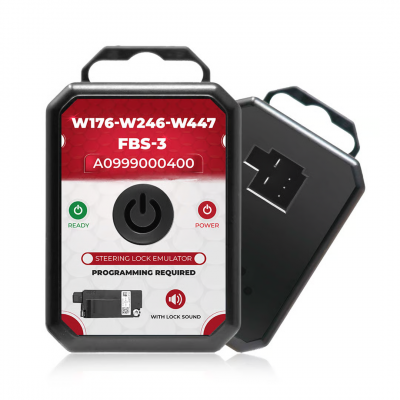
ESL ELV Steering Lock Emulator For Benz W176 W246 W447 FBS3 System.
Compatible to Part Number: A0999000400.
Support:
W176 EIS,
W246 EIS,
W447 EIS with Steering Lock.
need programming.
you can program it by:
VVDI KEY TOOL PLUS, AUTEL, CGDI MB, VVDI MB BGA, Abrites AVDI.
the ESL ELV steering lock as below:
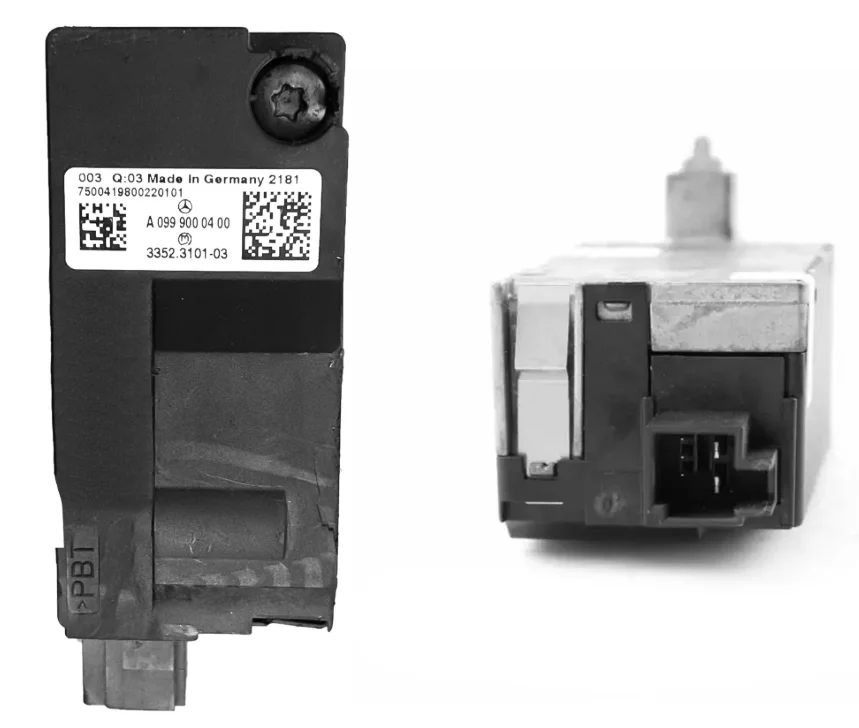
Diagram:
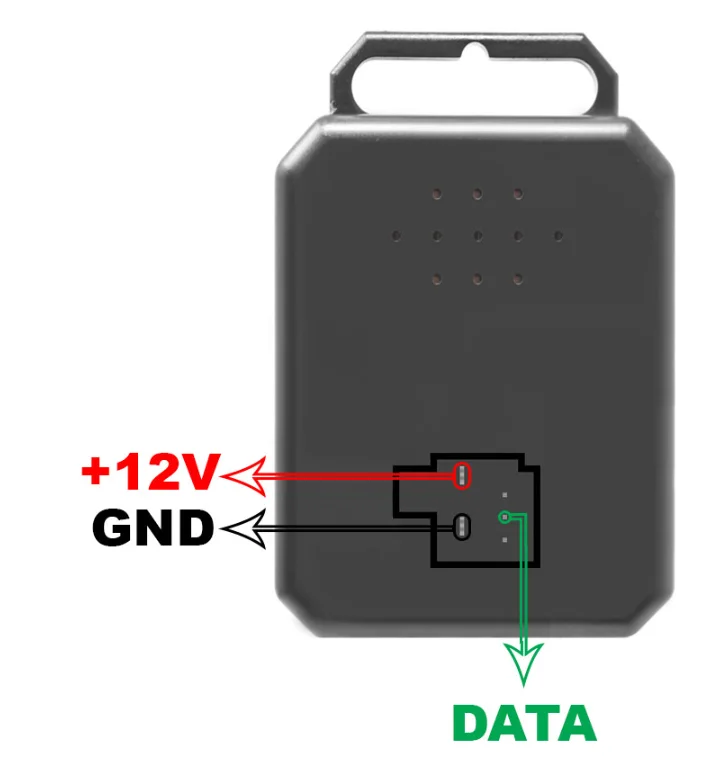
The Way to Use & Fix Mercedes Benz W176-W246-W447 (FBS-3 ) Emulator:
1. Unplug the Elv Wire From the Car Steering Lock Unit.
2. If Vehicle Steering Lock Is in Lock Mode Steering Lock Must Be Distant From the Car.
3. Calculate Mercedes EIS Password by Mercedes Key Programmer.
4. Mercedes ESL Emulator Programming Must Be Done By Mercedes Key Programming Device.
5. Connect the Mercedes ELV Emulator to the Car and Start the Car.
The Mercedes C Class Steering Lock Emulator Is Reprogrammable and Should Be Reused Again After Programming.
Mercedes Steering Lock Emulator Light Behavior.
After Programming ELV Emulator Mercedes & Connecting It to the Car, or to the Testing Cables, Insert the Car Key to the Switch.
If the Emulator ELV Mercedes Benz Light Turn Green That Mean Programming is Completed Perfecty, and Thus. the Car is Ready to Start Out.
If the Mercedes EIs Emulator Ligh Turn Red That Mean Programning Procedures Isn't Done Well or the Key You're Using Doesnt Belong to the Same Eis/Ezs.
If the Mercedes Ev Emulator W204 Light Doesn't Turn On, You Would Like to See the Power the Avallability of the Car or the Cables.
-
5 stars
0%
-
4 stars
0%
-
3 stars
0%
-
2 stars
0%
-
1 stars
0%
ProgSir.com accepts PayPal, Credit Card, Western Union and Wire Transfer as secure payment methods:
Global:
1. PayPal
1) Login To Your Account or use Credit Card Express.
2) Enter your Card Details, the order will be shipped to your PayPal address. And click "Submit".
3) Your Payment will be processed and a receipt will be sent to your email inbox.
2. Credit Card

1) Choose your shipping address OR create a new one.
2) Enter your Card Details and click "Submit".
3) Your Payment will be processed and a receipt will be sent to your email inbox.